
Microsoft Entra ID Security Configuration for UK Businesses
- September 26, 2026
- Posted by: Gradeon
- Category: Cyber Security
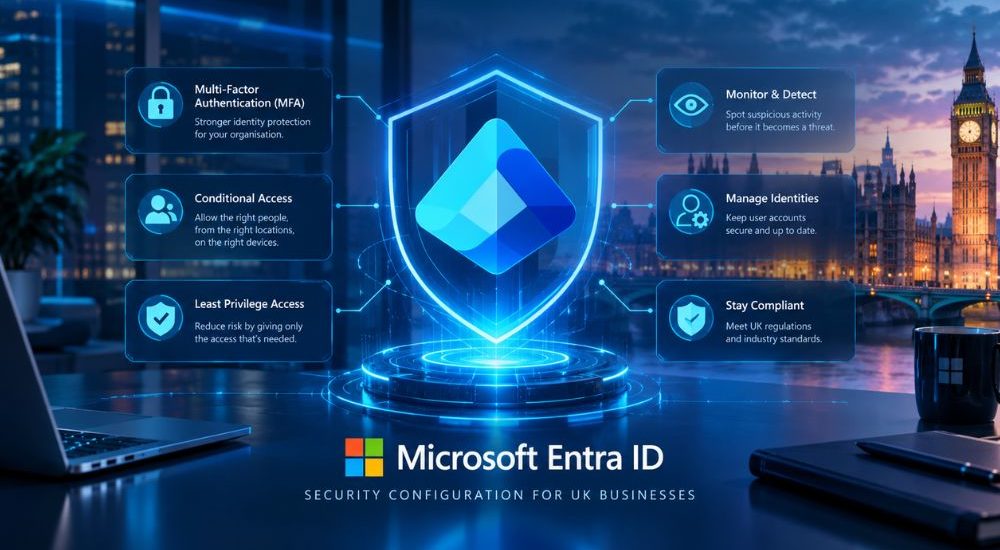
How should UK businesses secure Microsoft Entra ID?
UK businesses should secure Microsoft Entra ID by enforcing strong authentication, applying Conditional Access policies, following the principle of least privilege, protecting privileged accounts and regularly reviewing user access. Organisations should also monitor sign-in activity, block legacy authentication where appropriate and use Privileged Identity Management (PIM) to reduce unnecessary standing administrative access.
A secure Microsoft Entra ID configuration helps organisations protect user identities and control access to Microsoft 365, cloud services and business applications. Identity security should be treated as an ongoing process rather than a one-time configuration task.
What is Microsoft Entra ID?
Microsoft Entra ID, formerly known as Azure Active Directory (Azure AD), is Microsoft’s cloud-based identity and access management service. It enables organisations to manage identities, authenticate users and control access to applications and resources across Microsoft 365, Azure and supported third-party services.
For many UK businesses, Entra ID forms an important part of their identity and access infrastructure. As a result, protecting user accounts and administrative identities is an important part of a wider cyber security strategy.
Why secure configuration matters
Identity controls determine who can access systems, applications and data. If an account is compromised or given excessive permissions, an attacker may be able to access resources beyond the user’s normal responsibilities.
Misconfigured authentication policies, excessive privileges, inactive accounts and unnecessary administrative access can all increase the potential impact of account compromise.
Microsoft recommends using layered identity controls, including strong authentication, least-privilege access, Conditional Access and privileged access management.
Organisations should therefore review Microsoft Entra ID alongside their wider security controls rather than treating identity management as an isolated IT task.
Essential Microsoft Entra ID security configurations
Enable Multi-Factor Authentication
Multi-factor authentication (MFA) provides an additional authentication requirement beyond a password. Microsoft recommends enabling MFA for administrator accounts and supports authentication strengths, including phishing-resistant MFA options.
Businesses should prioritise strong authentication for:
- Administrator accounts.
- Privileged users.
- Remote access to sensitive systems.
- Users accessing important business applications.
- Accounts with access to confidential or regulated information.
Where practical, organisations should consider phishing-resistant authentication methods such as FIDO2 security keys or other supported passwordless methods.
MFA should form part of a broader identity security strategy rather than being treated as a complete defence against account compromise.
Implement Conditional Access policies
Conditional Access allows organisations to make access decisions based on signals such as user identity, device status, application, location and risk.
Depending on the organisation’s licensing and requirements, Conditional Access policies can be used to:
- Require MFA for specific users or applications.
- Apply stronger authentication requirements to privileged accounts.
- Restrict access from unsupported or untrusted conditions.
- Require compliant devices for sensitive applications.
- Block legacy authentication protocols.
- Apply controls based on sign-in or user risk.
Microsoft recommends using Conditional Access to apply appropriate authentication and access controls while taking account of the organisation’s specific environment.
Policies should be tested carefully before broad deployment so legitimate users and essential services are not unintentionally blocked.
Apply the principle of least privilege
Users and administrators should receive only the permissions required to perform their responsibilities.
Microsoft recommends applying least privilege to Entra roles and limiting both the scope and duration of privileged access.
Businesses should regularly review:
- Microsoft Entra administrative roles.
- Group memberships.
- Guest user access.
- Privileged role assignments.
- Service and workload identities.
- Access to sensitive applications and resources.
Reducing unnecessary permissions limits the potential impact if an account is compromised.
Use Privileged Identity Management
Privileged Identity Management (PIM) can help organisations reduce standing administrative access by allowing eligible users to activate privileged roles when required.
Microsoft recommends using PIM to provide just-in-time access for privileged roles. Organisations can also configure controls such as approval requirements, time limits and notifications for privileged role activation.
This approach can reduce the amount of time that highly privileged access remains active and provides additional governance around administrative activities.
Block legacy authentication
Legacy authentication protocols may not support modern security features such as MFA. Microsoft recommends blocking authentication requests that use legacy protocols where they are no longer required.
Before disabling legacy authentication, businesses should identify applications, devices or services that still depend on older protocols and migrate them to modern authentication where possible.
This is particularly important because legacy authentication can provide attackers with opportunities to use stolen credentials without the protections available through modern authentication.
Monitor sign-in and identity activity
Microsoft Entra ID provides information that administrators can use to investigate authentication and identity activity.
Organisations should monitor for events such as:
- Unusual sign-in activity.
- Repeated failed authentication attempts.
- Risky users or sign-ins.
- Unexpected changes to privileged roles.
- Changes to authentication or security settings.
- Suspicious access to sensitive applications.
Monitoring should be combined with a defined process for investigating and responding to suspicious activity. Reviewing alerts without clear escalation and response procedures can leave potential identity compromises unresolved.
Protect privileged accounts
Administrative identities represent a particularly important part of the Entra ID security model because they can have extensive permissions across an organisation’s environment.
Businesses should:
- Keep the number of highly privileged administrators as low as practical.
- Use separate accounts for administrative and everyday activities.
- Require strong authentication for privileged accounts.
- Use PIM for eligible privileged roles where appropriate.
- Review privileged assignments regularly.
- Remove unnecessary administrative permissions.
Microsoft’s current Entra guidance specifically recommends limiting the number of Global Administrators and using PIM for just-in-time privileged access.
Privileged operations should also be performed from appropriately secured devices where the organisation’s risk profile requires additional protection.
Review user access regularly
User access can become outdated as employees change roles, move between departments or leave an organisation.
Without regular reviews, users may retain permissions that are no longer necessary.
Businesses should periodically review:
- Active and inactive user accounts.
- Guest accounts.
- Group memberships.
- Administrative roles.
- Application permissions.
- Privileged access assignments.
Microsoft recommends recurring access reviews as part of managing Entra roles and removing permissions that are no longer required.
Access reviews should also be triggered by significant events such as employee departures, organisational restructuring, major system migrations or changes to business responsibilities.
Common Microsoft Entra ID security mistakes
Many identity security problems can arise from basic configuration and access management issues.
Common mistakes include:
- Leaving privileged accounts without MFA.
- Assigning excessive administrative permissions.
- Allowing legacy authentication where it is no longer required.
- Failing to review inactive accounts.
- Ignoring risky sign-in activity.
- Maintaining unnecessary standing privileged access.
- Using shared administrator accounts.
- Failing to review guest access.
- Creating Conditional Access policies without testing their impact.
Regular configuration reviews can help organisations identify these issues before they contribute to an account compromise.
Businesses can also use broader cyber security vulnerability assessments to identify weaknesses across systems and infrastructure rather than assessing identity controls in isolation.
Align identity security with wider cyber security
Microsoft Entra ID should form part of a wider cyber security strategy covering applications, endpoints, networks, cloud services and business processes.
Organisations should consider:
- Reviewing Conditional Access policies after significant business or technology changes.
- Assessing privileged access regularly.
- Testing the response process for compromised accounts.
- Monitoring important identity and authentication events.
- Reviewing access when employees join, leave or change roles.
- Assessing third-party and guest access.
- Keeping authentication and identity policies aligned with business requirements.
A broader cyber security consultancy approach can help organisations assess identity controls alongside other areas of their security environment and prioritise improvements according to business risk.
Consider identity security during incident response planning
A compromised Microsoft Entra ID account can potentially affect email, cloud applications, files and other connected services. Incident response planning should therefore include scenarios involving stolen credentials, compromised privileged accounts and suspicious authentication activity.
Businesses should define in advance:
- Who investigates suspected account compromise.
- Who can disable or restrict affected accounts.
- How privileged access is revoked.
- How sessions and credentials are secured.
- How affected users and stakeholders are informed.
- How evidence and relevant sign-in activity are preserved.
- How the organisation determines whether other accounts or systems were affected.
Organisations can also consider data breach resilience when developing broader response and recovery arrangements.
Frequently asked questions
Is Microsoft Entra ID the same as Azure Active Directory?
Yes. Microsoft renamed Azure Active Directory to Microsoft Entra ID. The service continues to provide cloud-based identity and access management for Microsoft and third-party applications.
Why is Multi-Factor Authentication important?
MFA adds an additional authentication requirement beyond a password. If a password is compromised, an attacker still needs to satisfy the configured authentication requirement to gain access.
Microsoft states that accounts using MFA are substantially less likely to be compromised, although MFA does not eliminate every form of identity attack.
What is Conditional Access?
Conditional Access allows organisations to apply access policies based on signals such as the user, application, device, location and risk. It can be used to require stronger authentication, restrict access or apply other controls depending on the circumstances of a sign-in.
What is Privileged Identity Management?
Microsoft Entra Privileged Identity Management helps organisations manage privileged access by allowing eligible users to activate administrative roles when needed rather than maintaining permanent access. It can also support controls such as approval, time limits and notifications.
How often should Microsoft Entra ID settings be reviewed?
There is no single review frequency that applies to every organisation. Identity configurations should be reviewed regularly and whenever significant changes occur, such as organisational restructuring, system migrations, changes to privileged roles or the introduction of new applications.
Strengthening Identity Security with Microsoft Entra ID
Microsoft Entra ID is an important component of identity and access management for organisations using Microsoft cloud services. Securing it requires more than simply enabling MFA.
Businesses should combine strong authentication with Conditional Access, least-privilege access, privileged access management, legacy authentication controls, monitoring and regular access reviews. These controls should then be reviewed as the organisation, technology environment and business requirements change.
Treating identity security as an ongoing process gives UK businesses a more structured way to reduce unnecessary access, protect privileged accounts and respond more effectively when suspicious activity occurs.